
Computer Course for Kids – Learn Step by Step
Computer Course for Kids is a beginner-friendly learning section from SKJEE Learning. This course helps children understand computers from the beginning and gradually build practical digital skills. Learners can explore computer basics, mouse use, keyboard learning, typing practice, Windows, file management, internet safety, Microsoft Paint, Word, Excel, PowerPoint, and simple coding basics. The course is organised as a step-by-step learning path, while children can also explore individual sections according to their learning needs.
Audio Transcript
Hello little learners! Welcome to the SKJEE Computer Course for Kids. In this course, you will learn computers in a simple and fun way. First, we will understand what a computer is. Then we will learn about the mouse, keyboard, typing practice, Windows, the internet, Paint, Word, Excel, PowerPoint, and simple coding. Do not worry if you are learning for the first time. We will go step by step, practise slowly, and enjoy every lesson together. Keep learning, keep trying, and have fun with computers. Let’s start our computer journey!
Computer Course Learning Sections
Explore the main learning areas in the SKJEE Computer Course. Children can follow the sections step by step or choose a topic they want to learn and practise.
Computer Basics
Learn what a computer is, its types, parts, hardware, software, CPU, memory, and storage.
Mouse Learning
Learn how to hold and move a mouse, left click, right click, double click, drag and drop, and scroll.
Keyboard Learning
Learn about letter keys, number keys, function keys, arrow keys, and important special keys.
Typing Practice
Practise letters, words, numbers, symbols, longer text, and gradually build typing accuracy and speed.
Keyboard Shortcuts
Learn useful Ctrl, Alt, Shift, Windows key, browser, office, and editing shortcuts.
Windows Basics
Explore the desktop, taskbar, Start menu, File Explorer, folders, files, Recycle Bin, search, and settings.
File Management
Learn how to create folders, rename files, copy, cut, paste, delete, restore, and organise computer files.
Internet Basics
Learn about browsers, search, websites, URLs, downloading, uploading, passwords, email, and internet safety.
Microsoft Paint
Explore Paint tools such as pencil, brush, shapes, fill colour, text, crop, resize, and save.

Microsoft Word
Learn document typing, text formatting, tables, images, saving, and printing.
Microsoft Excel
Learn about spreadsheets, rows, columns, cells, simple formulas, SUM, averages, and charts.
Microsoft PowerPoint
Create presentations using slides, text, images, shapes, animations, and transitions.
Computer Safety
Learn about viruses, antivirus software, strong passwords, scams, backups, and safer computer use.
Coding Basics
Start learning simple logic, algorithms, HTML, CSS, JavaScript, and Scratch basics.
How to Start This Computer Course
Children can follow this computer course in a simple learning order. Starting with basic computer concepts can make later topics such as keyboard use, typing, files, internet skills, office tools, and coding easier to understand.
Learn Basics
Start with the meaning of a computer, its parts, hardware, software, CPU, memory, and storage.
Use Mouse and Keyboard
Learn basic mouse actions, keyboard keys, typing skills, and useful keyboard controls.
Use Computer Tools
Continue with Windows, files, folders, internet skills, Paint, Word, Excel, and PowerPoint.
Create and Practise
Use typing activities, quizzes, creative tasks, digital projects, and beginner coding practice.
What Children Will Learn
- How to understand computers from a beginner level.
- How to identify important computer parts, hardware, software, CPU, memory, and storage.
- How to use a mouse, keyboard, and typing practice activities.
- How to work with Windows, files, folders, and common computer controls.
- How to understand basic internet use and safer digital habits.
- How to use creative and productivity tools such as Paint, Word, Excel, and PowerPoint.
- How to begin learning simple logic and introductory coding concepts.
Why This Computer Course Is Useful
Computer skills can support children in school work, online learning, searching for information, creating documents and presentations, typing, communicating, and solving problems. Learning these skills gradually can help children become more comfortable and confident when using computers.
The SKJEE Computer Course combines learning topics with practical activities. Interactive Typing Practice is already available for children who want to work on keyboard skills, including letter, word, and number typing activities with guided practice.
As more course sections are developed, additional lessons, quizzes, practice tools, creative activities, and other learning resources can be added to support different computer skills. Parents and teachers can use the course structure to guide children through topics at a suitable pace.
Start Your Computer Learning Journey Step by Step
Children can build computer skills gradually through simple lessons and practical activities. Learning how to use the keyboard, mouse, internet, files, creative tools, and basic coding concepts can create a useful foundation for future digital learning.
Typing Practice is currently available as an interactive SKJEE Computer Course section, making it a useful place to begin practising real keyboard skills.
Start Typing Practice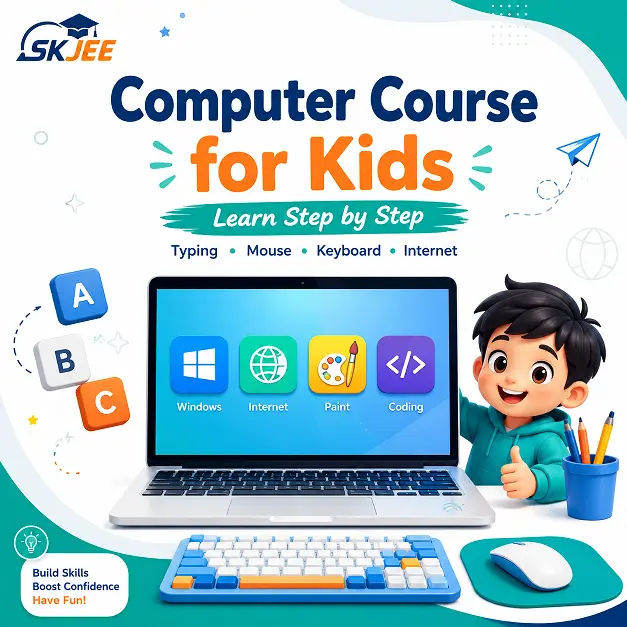
Helpful Computer and Digital Learning Resources
These trusted educational resources provide additional information about computers, computer basics, and safer digital learning.
Beginner-friendly lessons covering computer hardware, software, operating systems, internet basics, and common computer skills.
Britannica – ComputerReference information explaining computers, their development, components, and role in processing information.
Google Be Internet AwesomeDigital safety and citizenship resources designed to help children develop safer and more responsible online habits.
Computer Course FAQ
The Computer Course for Kids is a beginner-friendly learning section that introduces children to computer basics, mouse and keyboard use, typing, Windows, files, internet skills, office tools, computer safety, and introductory coding concepts.
Yes. The course is designed for children, school students, and beginners who are starting to learn computers. Topics are organised so learners can move from basic computer concepts to more practical digital skills.
Beginners can start with computer basics to understand what a computer is and learn about its main parts. They can then continue with mouse use, keyboard learning, typing practice, and other computer skills.
Yes. Interactive Typing Practice is already available with beginner activities for letters, words, and numbers. Additional practical activities can be added as other Computer Course sections are developed.
Parents can encourage short and regular practice, help children follow the learning path, guide them while using new computer tools, and reinforce safe and responsible computer and internet habits.