
Typing Practice for Kids – Learn Keyboard Typing
Typing Practice for Kids is a step-by-step keyboard learning section from SKJEE Learning. Children can begin with basic letter typing and gradually move to words, numbers, symbols, longer text, and speed practice. The goal is to help learners understand the keyboard, type more accurately, reduce mistakes, and build confidence before focusing on typing speed. These activities can support computer classes, school work, home learning, and everyday digital skills.
Audio Transcript
Hello little learners! Welcome to Typing Practice for Kids on SKJEE Learning. Here you can learn keyboard typing step by step. Start with letters, then practise words and numbers. As your keyboard skills improve, you can continue with symbols, longer text, and speed practice. Do not worry if you type slowly at first. Good typing begins with accuracy. Look carefully, press the correct keys, check your mistakes, and practise regularly. Choose your typing level below and start learning!
Typing Practice Levels
Typing practice is divided into three learning levels. Beginners start with basic keyboard skills, intermediate learners move to longer and mixed typing activities, and advanced learners can work toward greater speed, accuracy, and control.
Beginner Typing
Start with letters, words, numbers, symbols, and simple beginner typing activities.
Start Beginner
Intermediate Typing
Continue with paragraphs, mixed typing, number-symbol practice, timed activities, and greater typing control.
Explore Intermediate
Advanced Typing
Progress to longer text, speed practice, coding-style typing, office text, and challenging activities.
Explore AdvancedHow to Start Typing Practice
Children should begin slowly and learn where the keys are located before trying to type quickly. Accuracy, fewer mistakes, and regular practice are more important than speed during the early stages of keyboard learning.
Start with Letters
Practise A to Z letters and become familiar with where letter keys are placed on the keyboard.
Type Small Words
Combine letters into simple words and practise using the Space key between words.
Practise Longer Text
Gradually move to symbols, short sentences, paragraphs, and mixed keyboard activities.
Improve Speed
Begin timed and speed practice after accurate keyboard typing becomes comfortable.
What Children Will Learn
- How to recognize and find letter keys on the keyboard.
- How to type letters, words, numbers, and common symbols.
- How to use important keys such as Space and Shift.
- How to reduce typing mistakes by focusing on accuracy first.
- How to move from simple typing to sentences and longer text.
- How to build keyboard confidence through regular practice.
- How to prepare for timed and speed typing activities.
Why Typing Practice Is Useful for Children
Typing is an important computer skill used for school projects, online learning, searching, writing notes, coding, forms, messages, and many other digital activities. Becoming familiar with the keyboard can help children use computers more confidently and independently.
SKJEE beginner typing activities already provide interactive practice for letters, words, and numbers. These activities can help children work on key recognition, accuracy, mistakes, progress, and keyboard control before they move to longer or faster typing tasks.
A gradual learning path is useful because children do not need to master every keyboard skill at once. They can repeat easier activities, improve difficult keys, and move to the next level when they are ready.
Typing Practice Activities
Explore typing activities that build keyboard skills from simple key recognition to longer and faster typing. Beginners can start with the first activities and progress gradually.
Letter Typing
Practise individual letter keys and learn the keyboard layout step by step.
Word Typing
Type simple words and learn how letters and the Space key work together.
Number Typing
Practise number keys from 0 to 9 and build confidence with number groups.

Symbol Typing
Learn common keyboard symbols and practise using Shift with symbol keys.
Paragraph Typing
Practise longer text and develop smoother typing flow with simple paragraphs.
Speed Practice
Use timed typing activities after basic keyboard accuracy becomes comfortable.
Typing Practice for Kids Builds Keyboard Confidence
Typing Practice for Kids gives children a structured way to become more comfortable with the keyboard. They can begin with simple keys and gradually progress to words, numbers, symbols, longer text, and speed-focused activities.
Beginners do not need to type quickly. Regular practice with correct key presses and fewer mistakes helps create a stronger foundation for more advanced typing later.
Start Beginner Typing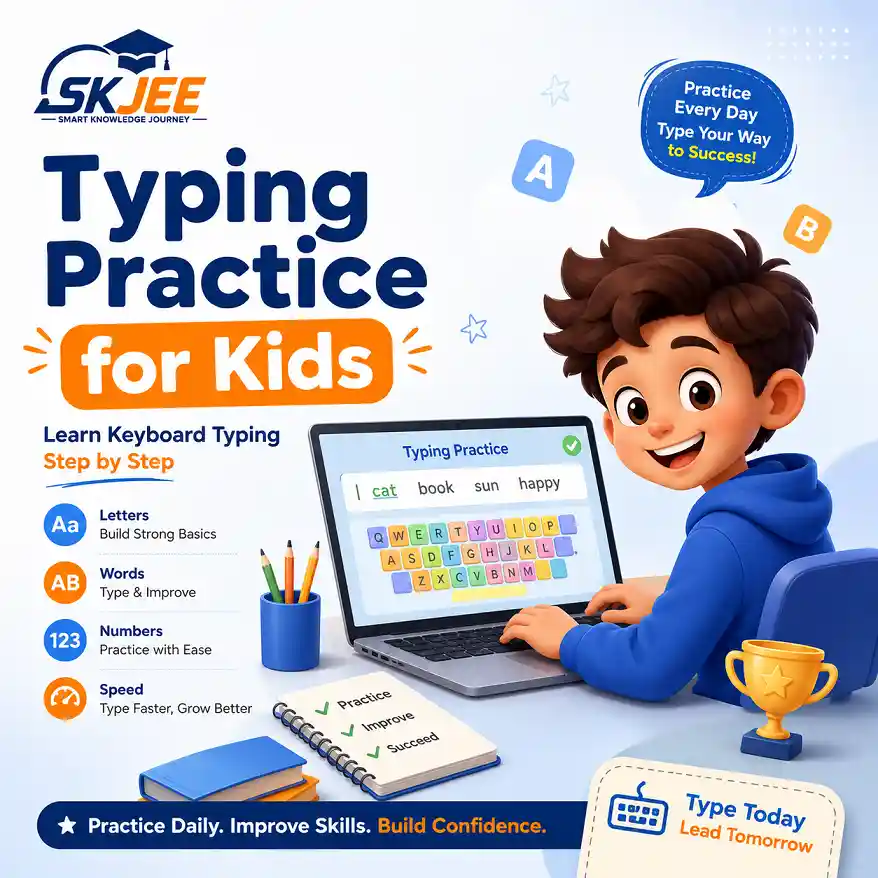
Related Computer Course Sections
Explore related computer-learning sections that can support keyboard knowledge and general computer skills.

Computer Course Home
Return to the main computer course and explore computer basics, keyboard learning, typing, and other digital skills.
Keyboard Learning
Learn about keyboard keys, key groups, common controls, and how the keyboard is used with a computer.
Keyboard Shortcuts
Discover useful keyboard key combinations that can make common computer tasks quicker and easier.
Helpful Keyboard and Digital Learning Resources
These trusted educational resources provide additional guidance about keyboard skills, computer basics, and safe digital learning.
Free educational guidance covering keyboard typing skills, practice, and basic typing techniques.
GCFGlobal Computer BasicsBeginner-friendly lessons explaining computers, keyboards, operating systems, and common digital skills.
Google Be Internet AwesomeDigital safety and citizenship resources designed to help children develop safer and more responsible online habits.
Typing Practice FAQ
Typing practice for kids helps children learn how to use a keyboard through activities such as letter typing, word typing, number typing, symbol practice, and gradually longer text.
Beginners should start with the Beginner Typing level. Letter typing is a useful first activity because it helps children become familiar with individual keyboard keys before moving to words and numbers.
Accuracy should come first. Children should learn to press the correct keys and reduce mistakes before trying to increase their typing speed.
Interactive beginner activities such as letter, word, and number typing can track time, accuracy, mistakes, and progress while children practise keyboard skills.
Short and regular typing sessions are useful for beginners. Children can practise for a few minutes at a time, repeat difficult activities, and gradually increase practice as their keyboard confidence improves.